Live vehicle tracking
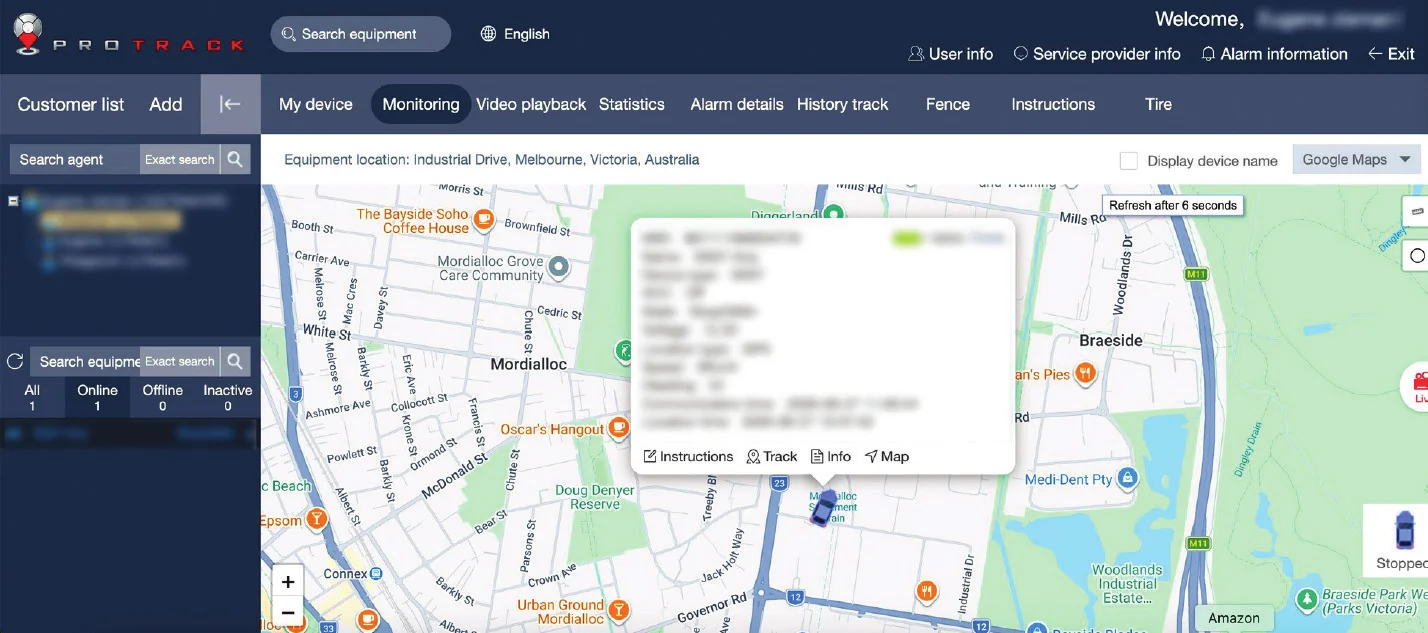
See your vehicle's location on the map in real time.

ProTrack · GPS vehicle tracking
Live vehicle tracking, smart alerts and detailed trip history in one easy-to-use platform, on your computer or your phone.
Why ProTrack
No technical knowledge needed. If you can use Google Maps, you can use ProTrack.
See your vehicle's location on the map in real time.
Review past journeys, routes and stops for up to 90 days.
Pick a date and time, press Play and watch the route.
Get instant alerts for speed, movement and power events.
Set virtual boundaries and get alerts when your vehicle enters or leaves.
Check speed, ignition and connection status at a glance.
Tap Track and the map follows your vehicle as it moves.
Get notified when your vehicle goes over a speed limit you've set.
Know if the tracker loses power, which could indicate a fault or tampering.
See when the ignition is turned on or off.
The same login works at login.protrack.au and in the ProTrack AU app.
Search by vehicle name, or see every vehicle and its status in the List tab.
Desktop + app
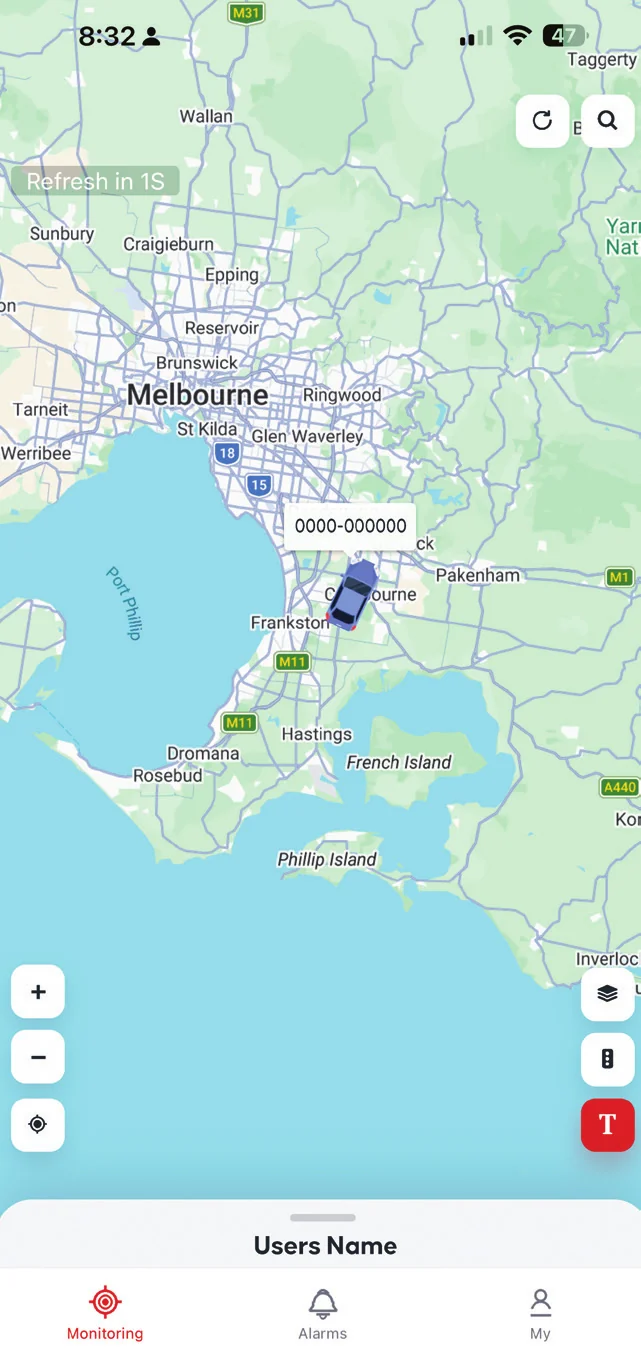
ProTrack AU app
Download the ProTrack AU app from the App Store or Google Play, or scan the QR code on login.protrack.au. It uses the same login as the website.


Tap your vehicle to see speed, ignition and last update.
Tap the clock icon, pick a time range and press Play.
See recent alerts for your vehicles in one list.
Manage your profile, notifications, geofences and settings.
Nationwide replacement guarantee.
ProTrack is available exclusively through dealers.
Call 1800 733 809 or email support@protrack.au.
Platform specifications
What ProTrack does, how you access it and how alerts work. Some features may vary depending on tracker model, firmware version and account permissions.
What you get
Read the FAQ or contact ProTrack support on 1800 733 809.